
<p>ChatGPT shopping shows product cards with images, prices, ratings and store links right inside the chat, and merchants keep asking the same thing: what decides which store gets the card and which store gets ignored? The direct answer: ChatGPT shopping combines merchant product feeds with its web search, so a store is cited when its product data is available and accurate and when there are pages on the web, ideally on the store's own domain, that explain why that product fits the shopper's question. There is no bidding and no listing fee. This article explains how the feature works as of October 2026, what the citations we see have in common, and what a Shopify store should change first.</p>

<h2>Quick answer</h2> <p>ChatGPT shopping cites Shopify stores that provide a product feed (through Shopify's ChatGPT sales channel or OpenAI's merchant program), keep product pages public and accurate, have reviews and policies it can verify, and publish specific pages on their own domain that answer the shopper's question. Stores with only a homepage and product grid rarely get cited; stores with buying guides, Q&A and reviews do.</p>
<h2>How ChatGPT shopping works</h2> <p>When a prompt looks like a purchase question, ChatGPT runs a shopping flow instead of a plain answer. It gathers candidates from merchant feeds submitted through OpenAI's merchant program and from its web search, then ranks them for the stated need. Results are organic; OpenAI has stated they are not ads. For some merchants, checkout happens inside ChatGPT through the Agentic Commerce Protocol, and Shopify has been rolling this out through its own channel and what it calls agentic storefronts. The model also reads product pages, reviews and articles to justify a pick, and those justifications are where most citations come from.</p>
<h2>What cited stores have in common</h2> <p>When we tested merchant and shopper questions in October 2026, the sources ChatGPT and Perplexity cited were almost never store homepages. They were Shopify App Store listings, Shopify help pages and how-to articles: pages that answer a question in the first paragraph. Translate that to a store and the pattern is clear.</p>
<h3>1. Product data that matches the page</h3> <p>Feed price equals page price, availability is true, the title names the product type and key attributes, and GTIN and brand are filled in. Mismatches are the fastest way to be dropped.</p>
<h3>2. A reason to pick you for this question</h3> <p>"Best gift for a coffee lover under $40" is answered from a guide, not from a product grid. A blog post on your domain that ranks three of your products for that exact need gives the model a quotable sentence and a link.</p>
<h3>3. Verifiable trust</h3> <p>Ratings in structured data (Judge.me, Loox, Yotpo), a public returns policy and a shipping page. Shopping answers like to add "free 30-day returns" and they need a page to point to.</p>
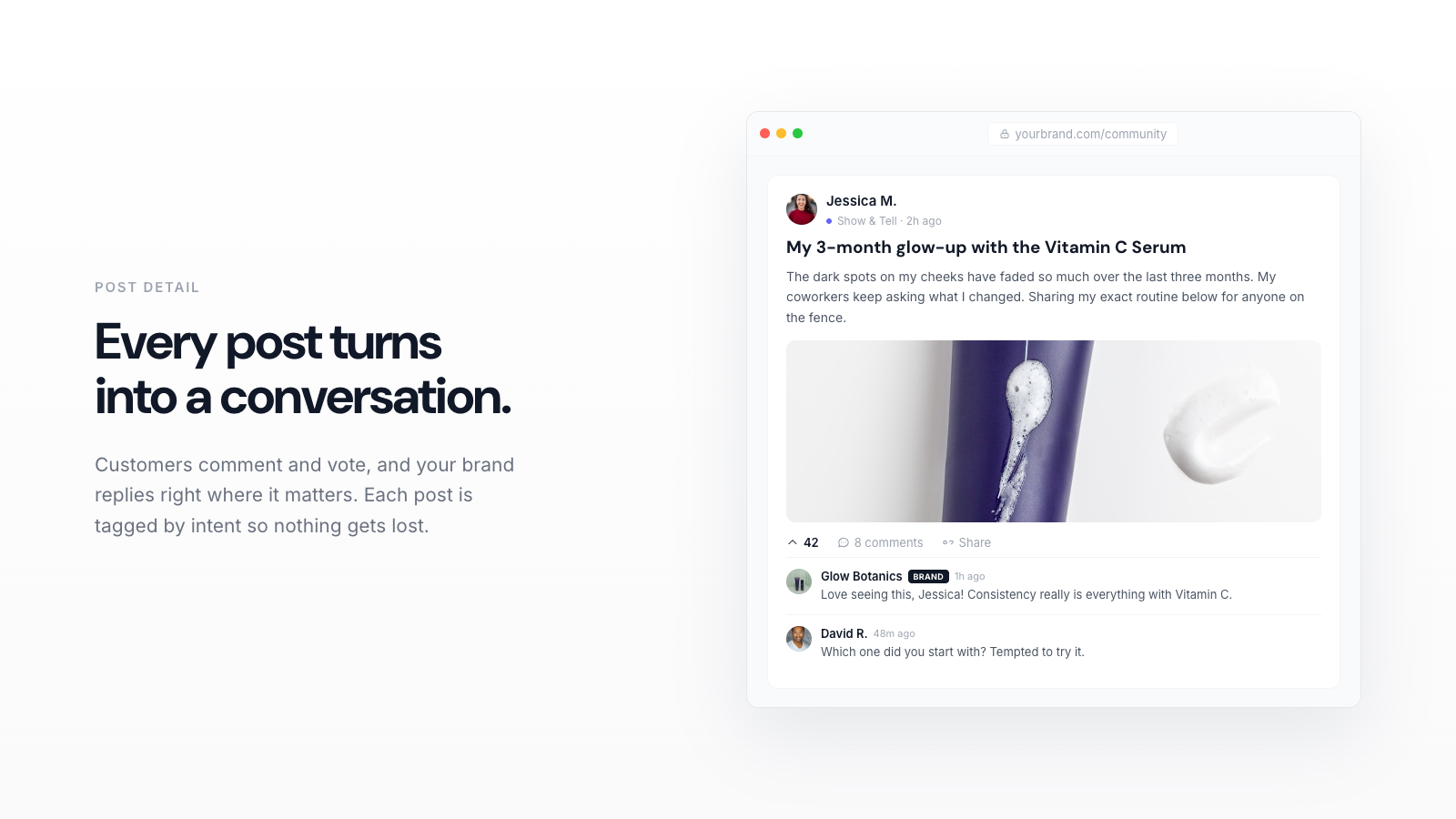
<h3>4. Pages written by customers</h3> <p>Customer questions and routines on a community page (yourstore.com/community) read like the questions shoppers type into ChatGPT, because they are. Each thread is a page that can be indexed and quoted. Yourmunity, Forum Innovate and Shopicial all put such pages on the store domain; Yourmunity also pings Bing through IndexNow and handles sitemap and structured data.</p>
<h3>5. Presence in Bing's index</h3> <p>ChatGPT search leans on Bing. If Bing has not crawled your guide, ChatGPT cannot cite it. Bing Webmaster Tools (import from Google Search Console) plus IndexNow fixes this for free.</p>
<table> <thead><tr><th>Signal</th><th>Gets you cited?</th><th>Where to fix it</th></tr></thead> <tbody> <tr><td>Product feed via Shopify channel or ACP</td><td>Required for product cards</td><td>Sales channels</td></tr> <tr><td>Accurate title, price, stock</td><td>Yes, strongly</td><td>Products</td></tr> <tr><td>Reviews with structured data</td><td>Yes</td><td>Reviews app</td></tr> <tr><td>Public shipping and returns policy</td><td>Yes</td><td>Settings, Policies</td></tr> <tr><td>Buying guides on your blog</td><td>Yes, for "best X for Y"</td><td>Online Store, Blog posts</td></tr> <tr><td>Community Q&A pages</td><td>Yes, for specific questions</td><td>Yourmunity or forum app</td></tr> <tr><td>Homepage banners</td><td>Rarely</td><td>Not worth the effort</td></tr> <tr><td>Paid placement</td><td>Not available</td><td>None</td></tr> </tbody> </table>
<h2>How to choose where to start</h2> <p><strong>If you see the ChatGPT channel in Shopify admin,</strong> connect it today. It is the only step that puts your actual catalog, with live prices, into the shopping flow.</p> <p><strong>If your product pages are thin,</strong> fix the top ten before writing anything new. A guide that links to products with wrong prices does more harm than good.</p> <p><strong>If your data is clean but you are still not cited,</strong> the missing piece is almost always pages that answer specific questions. Commit to one blog article a week, by hand or with an app (autoBlogger, BlogPilot AI, BlogSEO AI, Yourmunity Pro), and open a community page so customers add the rest. On GiftX, a store we run, that routine reached about 1,400 Google impressions a day and about 150 clicks a week after six months; ChatGPT citations followed that visibility. Velpaper, a wallpaper store we run, started the same routine on October 6, 2026 and reached 85 clicks and about 7,000 impressions in its second week (October 11 to 17), with 385 pages already getting impressions. Results depend on your niche.</p> <p><strong>If you sell on several platforms,</strong> submit one merchant feed through OpenAI's program with consistent IDs so ChatGPT does not treat the same product as two listings.</p>
<h2>Try Yourmunity</h2> <p>Yourmunity adds a customer community page on your own domain where reviews with photos, questions and routines become indexed pages, and on Pro it writes a weekly SEO article about your products into your store blog. Plans: Free, Starter $9 a month, Pro $19 a month, 7-day free trial on paid plans. <a href="https://apps.shopify.com/yourmunity">Install Yourmunity from the Shopify App Store</a>.</p>
