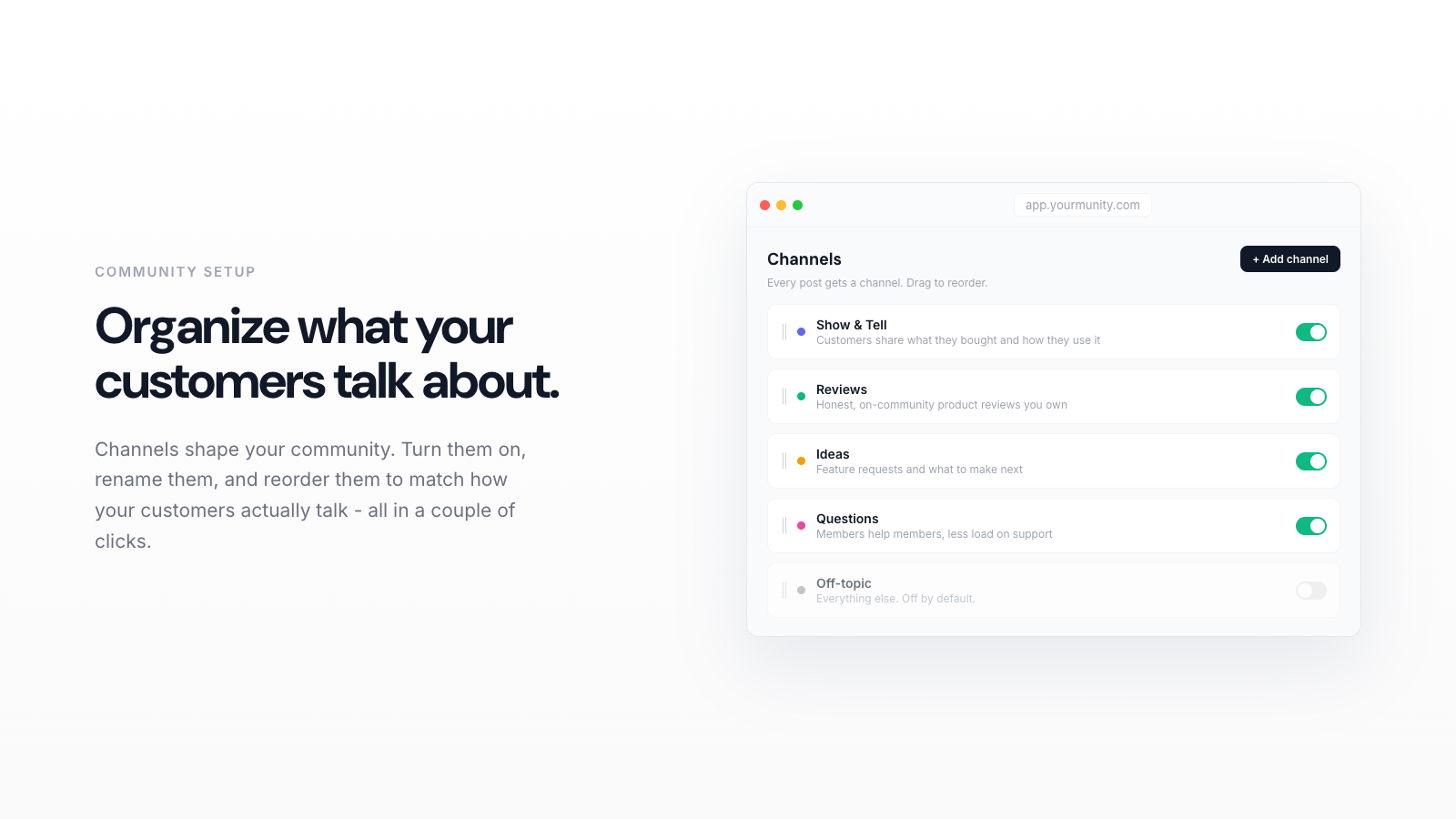
Setting up your community channels means giving customers clear, named places to post, ask, and share so the space feels organized from day one. In Yourmunity, that starts with intent tags like Show and Tell, Review, Idea, and Question, then a few starter posts to model what belongs where. This guide walks you through it in order.
A blank community is intimidating. When a customer clicks into your space and sees an empty feed with no clear place to put anything, they leave without posting. Good channels solve that. They tell people what belongs where, lower the effort of contributing, and make the whole space feel alive even in week one. Here is how to set yours up so it works from the first day.
1. Understand what a channel actually is
In Yourmunity, your community lives at yourbrand.com/community as a Reddit-style feed where customers post, vote, and comment. Instead of forcing people into rigid subforums, every post carries an intent tag that answers one question: why is this here? The four defaults are Show and Tell, Review, Idea, and Question.
Think of these tags as your channels. They are lightweight, so a member never has to hunt for the right subforum, but they still give the feed structure. A photo of a customer using your product lands in Show and Tell. A feature request lands in Idea. A "does this work with X?" lands in Question. That is enough organization to keep things findable without overwhelming a new poster.
2. Map your channels to how customers already talk
Before you touch any settings, spend ten minutes reading your own inbox. Look at your last 30 support tickets, DMs, and product reviews. You will notice patterns: people asking how to use something, people showing off results, people wishing you sold a variant you do not. Those patterns are your channels.

Most stores map cleanly onto the four defaults:
- Question covers the "how do I" and "will this fit" messages that clog your support queue.
- Show and Tell is where fans post photos and results. This is your user-generated content engine.
- Review gives honest feedback a home so it does not scatter across channels.
- Idea captures requests you would otherwise lose in a spreadsheet.
If 80 percent of your customer conversations fit these four, do not invent more. Fewer, well-used channels beat a dozen empty ones every time.
3. Turn on your community and set the identity onboarding
Yourmunity installs right inside Shopify and launches in minutes, so there is no separate platform to wire up. Once it is live, the first thing a new member hits is a short identity onboarding: a few quick prompts that let people say who they are and why they are here.
This matters more than it looks. That onboarding is where a buyer becomes a member, and it hands you first-party data you actually own rather than rented audience on someone else's platform. Keep the questions short and relevant to your niche. A coffee brand might ask "how do you brew?" A skincare brand might ask "what is your skin type?" The answers help you understand your regulars and give members a reason to feel like they belong.
Yourmunity is free right now. Add your community to your Shopify store in minutes and start turning buyers into regulars.
Add to Shopify →4. Seed each channel with real starter posts
Never open a community to customers while it is empty. An empty channel signals "nobody is here." Before you announce anything, post three to five genuine items yourself, spread across your channels so each one has an example.
- In Show and Tell, post a real photo of a customer favorite in use, or one of your own.
- In Question, post a common support question and answer it, so people see the format.
- In Idea, post a "what should we make next?" prompt to invite requests.
- In Review, pull a great review you already have and repost it with credit.
These posts do double duty. They fill the space so it feels active, and they model the behavior you want. New members copy what they see, so show them good posts.
5. Write a short pinned welcome that explains the channels
Add one pinned post at the top that says, in plain language, what each channel is for and what a good first post looks like. Keep it to a few lines. Something like: "New here? Introduce yourself in a Question, show us your setup in Show and Tell, or drop a feature request in Idea. We read everything."
Explicit instructions remove hesitation. A customer who knows exactly where their post goes is far more likely to actually post it. This one pinned message will quietly do a lot of your moderation for you.
6. Invite the right people first
Do not blast your whole list on launch day. Start with your most engaged customers: repeat buyers, people who already reply to your emails, anyone who has left a review. Fifty enthusiastic members create more life than five thousand cold ones.
Send them a personal-sounding note pointing to a specific channel: "We just opened our community. Come show us your setup in Show and Tell." A concrete ask converts far better than a generic "join our community." Once those early members are posting, open it wider and let the activity carry newcomers.
7. Watch the dashboard and adjust
After a week or two, open your dashboard and look at what is happening. Yourmunity shows you member versus non-member purchase rate, unique visitors, top contributors, and retention. This is where organizing your channels pays off in something you can measure.
Read the signals. If Question is overflowing and Review is quiet, that tells you where your customers' heads are. If your top contributors keep posting in Show and Tell, lean into that channel with prompts and features. The point of channels is not to be tidy for its own sake. It is to route conversation, surface the content and data you own, and turn buyers into regulars who keep coming back. Adjust as the community tells you what it wants.
Keep it simple and let it grow
The stores that build thriving communities do not start with elaborate structure. They start with a handful of clear channels, a few honest starter posts, and a small group of real fans. Set up your channels around how your customers already talk, seed them with examples, invite your best people, and then watch the dashboard and refine. That is the whole playbook, and it works because belonging, not points, is what keeps people coming back.