
To set up a Shopify community, add a community app to your store, connect it to a page like yourbrand.com/community, set up member onboarding and post tags, seed a few first posts, then invite your existing customers. With Yourmunity you can launch a Reddit-style community feed inside Shopify in minutes and start turning one-time buyers into regulars.
Most stores treat customers like transactions. Someone buys, gets a shipping email, and disappears. A community changes that math. It gives buyers a reason to come back that has nothing to do with a discount code, and it hands you something you cannot get from ads: a place your customers actually own a corner of. Here is how to get yours live without a big project plan or a developer.
1. Add a community to your Shopify store
Start by installing a community app from inside your Shopify admin. This is the part people over-think. You are not building a forum from scratch or standing up a separate site to maintain. You are adding a feed that lives at your own domain, something like yourbrand.com/community, so it feels like part of your store instead of a random third-party link.
With Yourmunity the install runs right inside Shopify and takes minutes, not a sprint. Once it is connected, you have a live, Reddit-style feed where customers can post, vote, and comment. No design work required to get started, and no monthly platform fee to gamble on while you are still figuring out whether your people will show up. It is free right now, which makes this an easy first move.
2. Point a link to your community page
A community nobody can find is just a graveyard. So before you invite anyone, make the door obvious. Add a Community link to your main navigation, the same way you would link to your catalog or an About page. That single nav item does more work than any launch banner.
Then sprinkle entry points where buyers already are:
- A line in your order confirmation and shipping emails ("Join the community and show us what you made")
- A card or insert in the package itself
- A short mention on high-traffic product pages, especially ones people ask a lot of questions about
The goal is to catch customers at the moment they are most excited, right after they buy or right when the box arrives. That is when someone will actually take a photo or leave a thought.
3. Set up onboarding and post tags
Now shape the room a little. When a new member joins, a short identity onboarding asks a couple of light questions so people arrive with a bit of context instead of as a blank username. That small step matters more than it sounds. People behave better and post more when they feel like a member rather than an anonymous visitor.
Next, decide how posts get organized. In Yourmunity every post carries an intent tag, and you get sensible defaults you can lean on:
- Show & Tell for photos of the product in real life
- Review for honest experiences
- Idea for feature or product requests
- Question for help and how-tos
These tags do two jobs. They make the feed scannable for members, and they quietly sort your customers' voices into buckets you will actually use later, like a running list of product ideas straight from the people who buy.
4. Seed the first posts yourself
An empty feed tells visitors "nobody is here." Do not launch into silence. Before you send a single invite, put up five to ten posts yourself so the first real member walks into a room with a pulse.
Good seed posts are easy to make:
- A warm welcome post explaining what this space is for
- One genuine Question to your customers ("What almost stopped you from buying?")
- A Show & Tell using a real customer photo you already have permission to use
- An Idea prompt asking what you should make next
- A behind-the-scenes note that only regulars would appreciate
This is also where you set the tone. Reply to yourself, ask follow-ups, model the kind of posting you want. Communities take on the personality of their first week, so spend a little effort making that week feel human and generous.
Yourmunity is free right now. Add your community to your Shopify store in minutes and start turning buyers into regulars.
Add to Shopify →5. Invite your customers and open the doors
You do not need a huge audience to launch. You need the right first handful. Email your best existing customers, the repeat buyers and the ones who already reply to your emails, and invite them personally. A hundred engaged people beats ten thousand cold ones. Ask them to introduce themselves and drop one post. That first wave of activity is what makes the next wave feel welcome.
Keep the invite specific. Instead of "join our community," try "come show us how you styled it and see what everyone else is doing." Give people a job to do the moment they arrive, because an ask is easier to act on than an open door.
Watch the numbers that actually matter
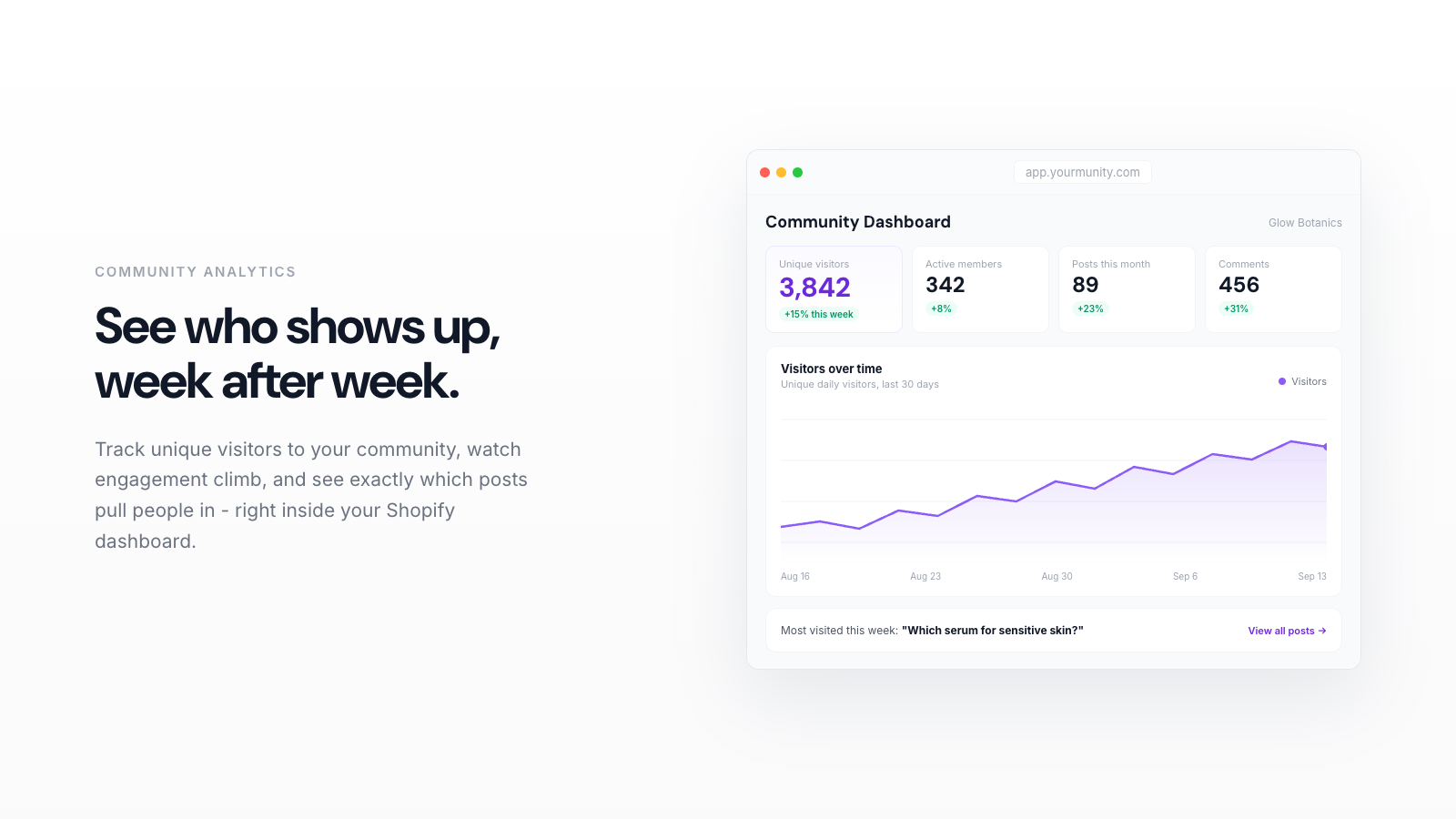
Once people are posting, resist the urge to obsess over vanity likes. The metric that tells the real story is the gap between your members and everyone else. Yourmunity gives you a dashboard that shows member versus non-member purchase rate, unique visitors, your top contributors, and retention over time.
That member-versus-non-member number is the whole argument for doing any of this. When you can see that people who join the community buy more often and stick around longer, you stop treating the community as a nice-to-have and start treating it as part of how the store grows. It is not a points program dressed up as engagement. It is belonging, and belonging is what turns a buyer into a regular.
What you actually own when you do this
Here is the quiet part that makes this worth an afternoon. Every post, photo, and answer your customers leave is user-generated content you can reuse across product pages, ads, and email. Every member who onboards adds to first-party data that is yours, not rented from an ad platform that can change the rules tomorrow.
You are building a container that keeps your customers close, gives you a steady stream of UGC, and hands you data you genuinely own. Five steps, most of them done in an afternoon, and you have something ads can never buy: a place your customers come back to on purpose.